01
Reading & navigation
Find your place.
Move through pages, follow bookmarks and search document text. Keep the document at the center of your work.
- Page navigation and thumbnails
- Bookmarks and document search
 FoxPDFLet’s talk
The workbench
From finding a passage to putting pages in order, FoxPDF brings useful PDF workflows into one desktop workspace.
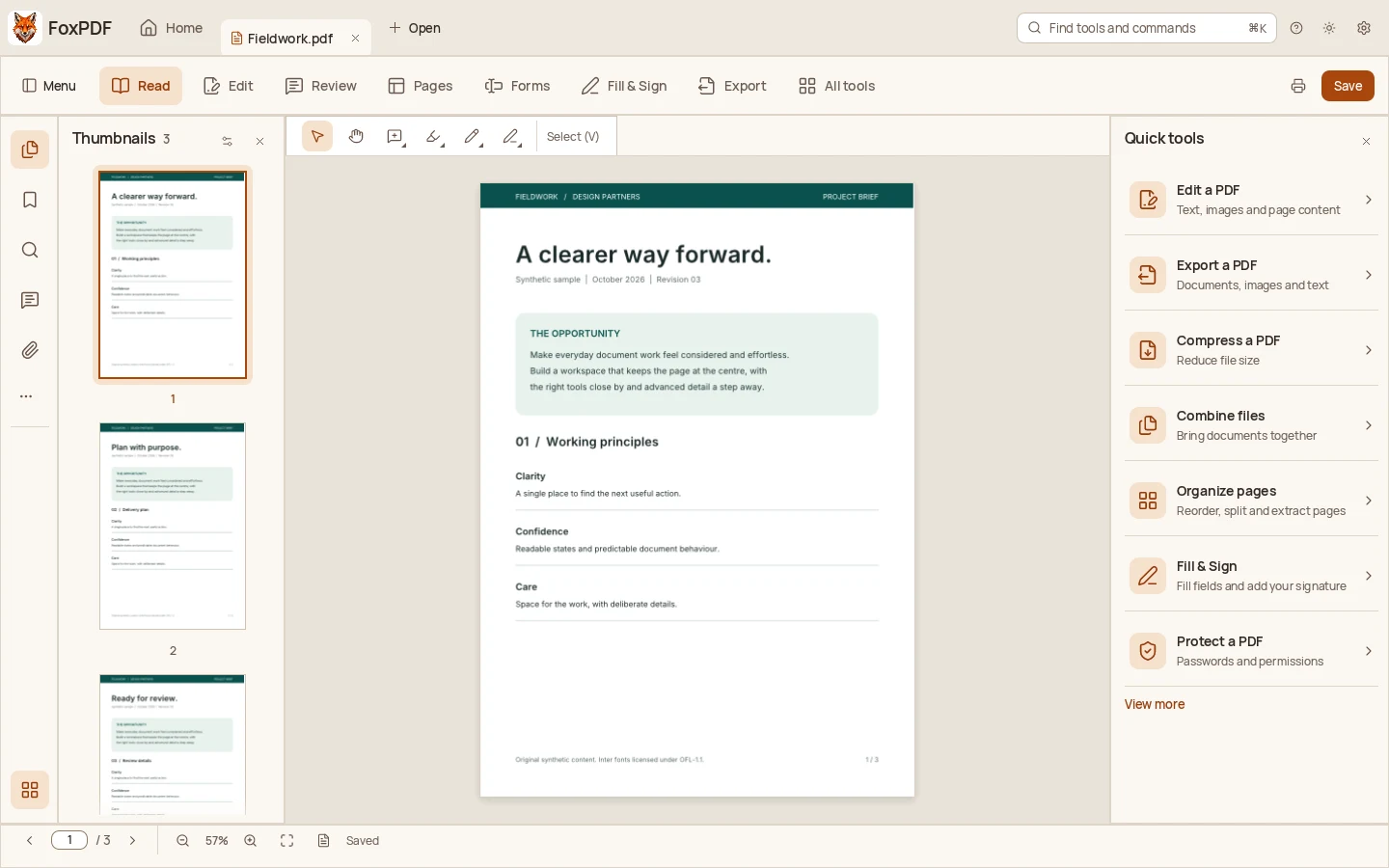
Development preview. These selected workflows are implemented in the product source. Final release acceptance is still in progress, and no public build is available.
Reading & navigation
Move through pages, follow bookmarks and search document text. Keep the document at the center of your work.
Editing & page organization
Edit supported text, combine PDFs, rotate pages and rearrange the sequence. Shape the document for the task.
Review & comments
Highlight a passage, add a note and keep feedback beside the work. Review with a little more context.
Forms & signatures
Fill text fields, choose options and work with supported signature tools. Certificate trust and verification have documented limits.
Conversion & export
Create PDFs from images and export pages as PNG, JPEG or TIFF. Choose the format your next step needs.
Agent automation
Use the command line and MCP tools to inspect documents and run supported workflows in an explicit workspace.
Text editing depends on the document’s content and fonts. Signature trust and verification have documented limitations. Export formats preserve different aspects of a document, so always review your output.
This preview does not promise universal rendering fidelity, complete PDF standards conformance, automatic redaction guarantees or full script compatibility. Release notes will describe accepted behavior and known limitations for each public version.
A more considered way to PDF
Get to know the workbench we’re building.